Design your website without writing code, connect it to CRM, and download and publish it.
Start from a ready-made template or from a few sentences describing your business. Add sections, click on text and type, and see how it looks on mobile. Every form submission comes into your CRM as a lead; when the site is done, download the files and publish them on your own domain.
Real screen · business name and contact details are examples
Screen by screen, from inside the editor
These are not mockups — this is Site Studio itself. Pick a tab; to see the details, click an image to enlarge it.
Design and style
The page structure (Navigator) on the left, your site in the middle, the selected element’s style on the right. When you click the heading, the style is written to the “hero-baslik” class; every element with the same class changes together. To change only that element, select “This element only”.
Phone view
When you select the Phone breakpoint at the top, the canvas drops to 390 pixels and the style panel reads “Phone”. Values you set here affect only the phone; the desktop design stays as it is.
Add sections and elements
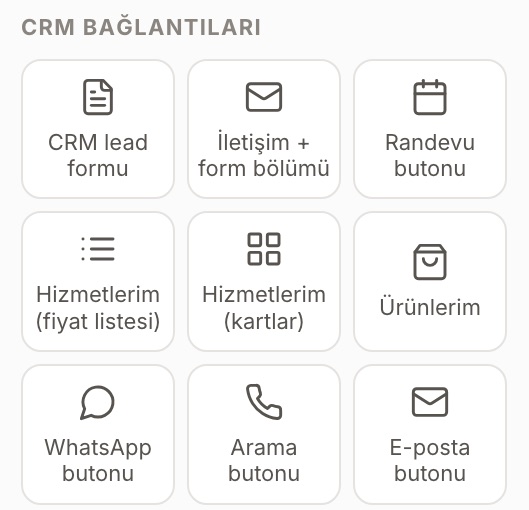
Ready-made sections in 11 categories; below them are structure, text, media and component elements. At the bottom are CRM connections: lead form, contact + form section, appointment button, service and product lists, WhatsApp, call and e-mail buttons.
Theme and colors
12 ready-made themes; each comes with 10 color variables from the primary color to the dark background, plus heading and body fonts. When you change a color, every section that uses that color changes with it.
Element settings and animation
The selected element’s HTML tag, which screen size it appears on, draft status, reveal on scroll, hover effect and the anchor ID for linking to this section from the menu.
AI assistant (Ctrl+J)
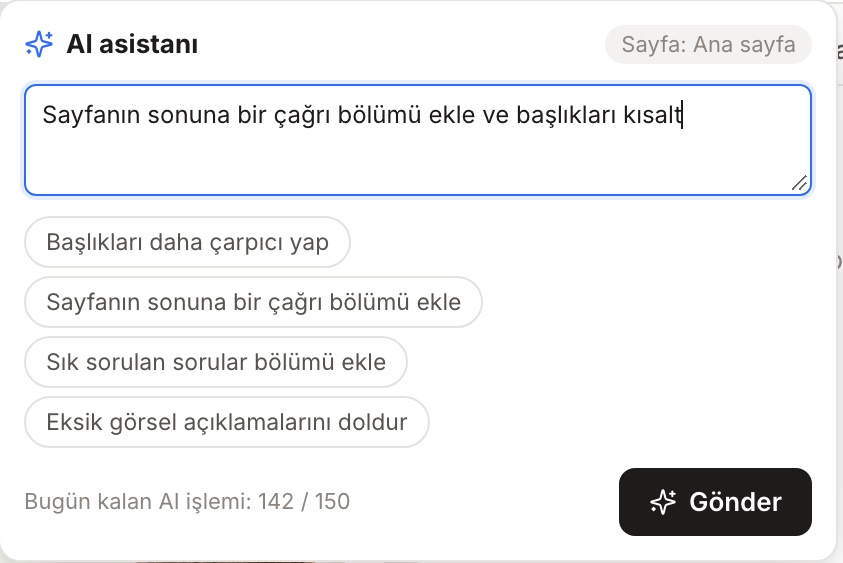
Write a single sentence or pick one of the ready-made suggestions: make the headings punchier, add a call-to-action section at the end of the page, add an FAQ, fill in the missing image descriptions. Your daily remaining quota is shown at the bottom.
Text assistant
Select a text and click “Edit with AI”: rewrite, shorten, expand, make it more formal, make it friendlier, fix the spelling or translate it into another language. You can also write your own instruction; the suggestion is not written to the page until you apply it.
SEO and Google preview
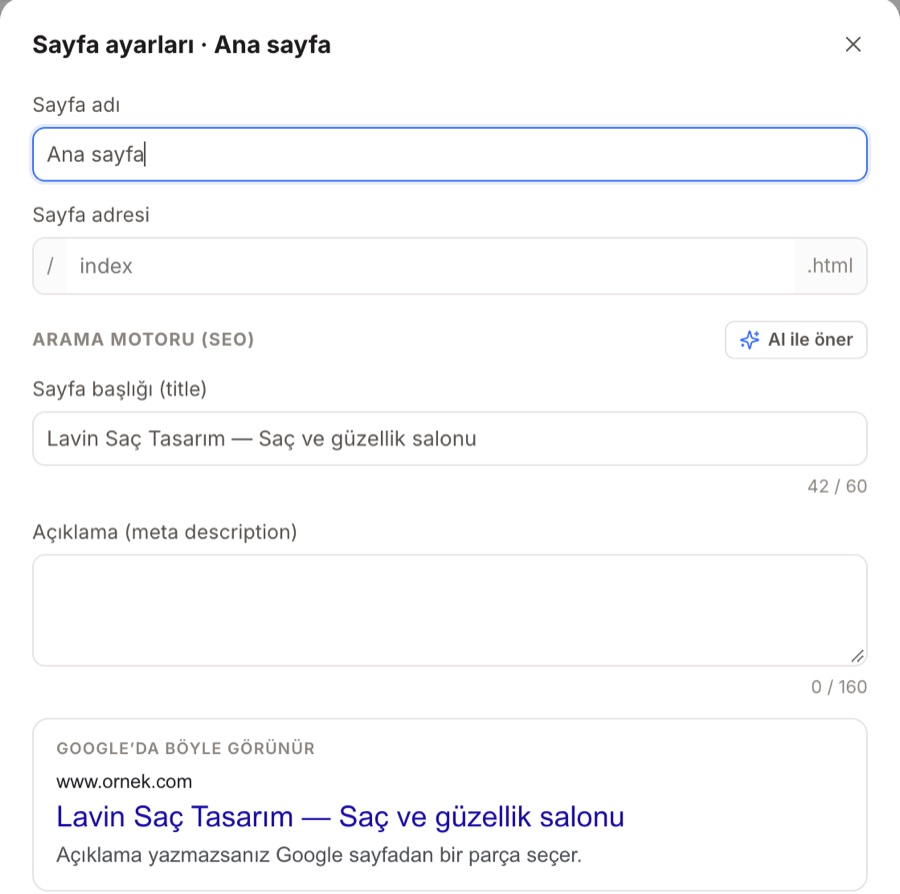
Each page's name, address, title and description with a character counter, “Suggest with AI”, a preview of how it will look on Google, a share image and an option to hide it from search engines.
Site score
SEO, accessibility, links, content, privacy and performance are each scored separately. Issues such as a sample customer review left over from the template or a missing image description are listed one by one.
Collections (CMS)
Blog, projects, team, FAQ, campaigns, or your services and products in the CRM. Design it once; the list is laid out on the page, and each item gets its own page.
Version history
Automatic and annotated versions, with who and when. When you restore an older version, the current state is also saved separately.
Download the site
Before you download, you see the site score and the number of pages, images and fonts one more time. Enter your domain, choose whether to embed fonts, and click “Prepare ZIP and download”.
Code view
The HTML of the page you are downloading and the site CSS, read-only. You can copy and review them, or show them to your developer.
A quick try in your browser
A simplified imitation of the editor: add a section, click on text and type, switch to mobile, submit the form. The real editor is as shown in the screens above.
14 templates, in the language of your industry
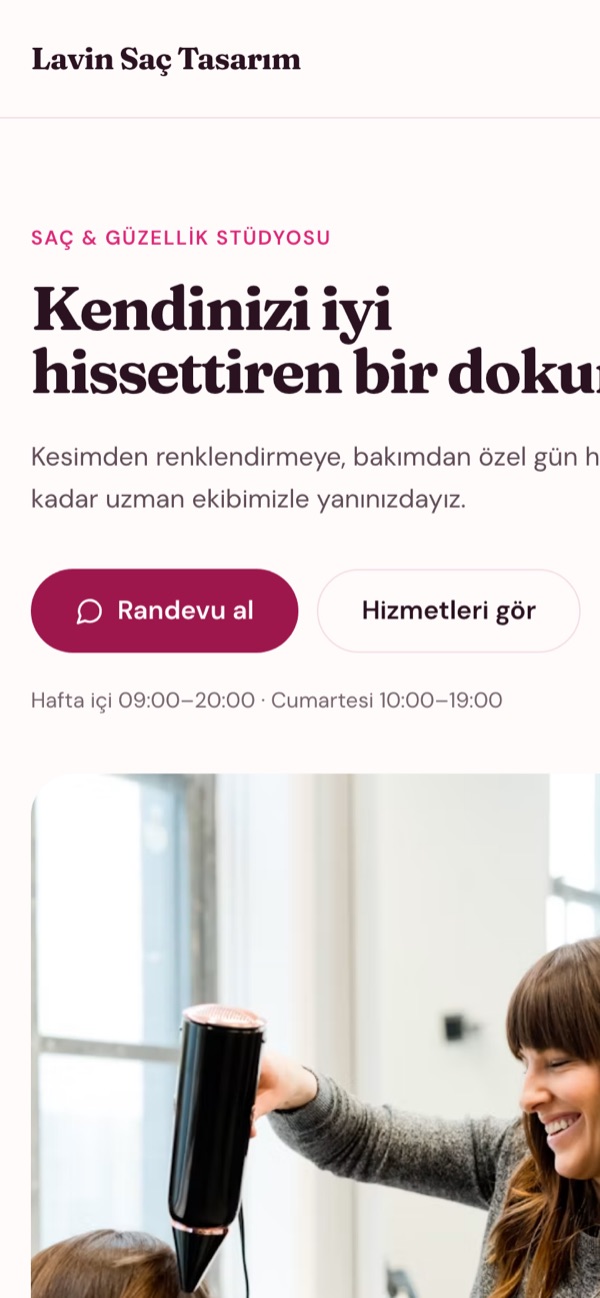
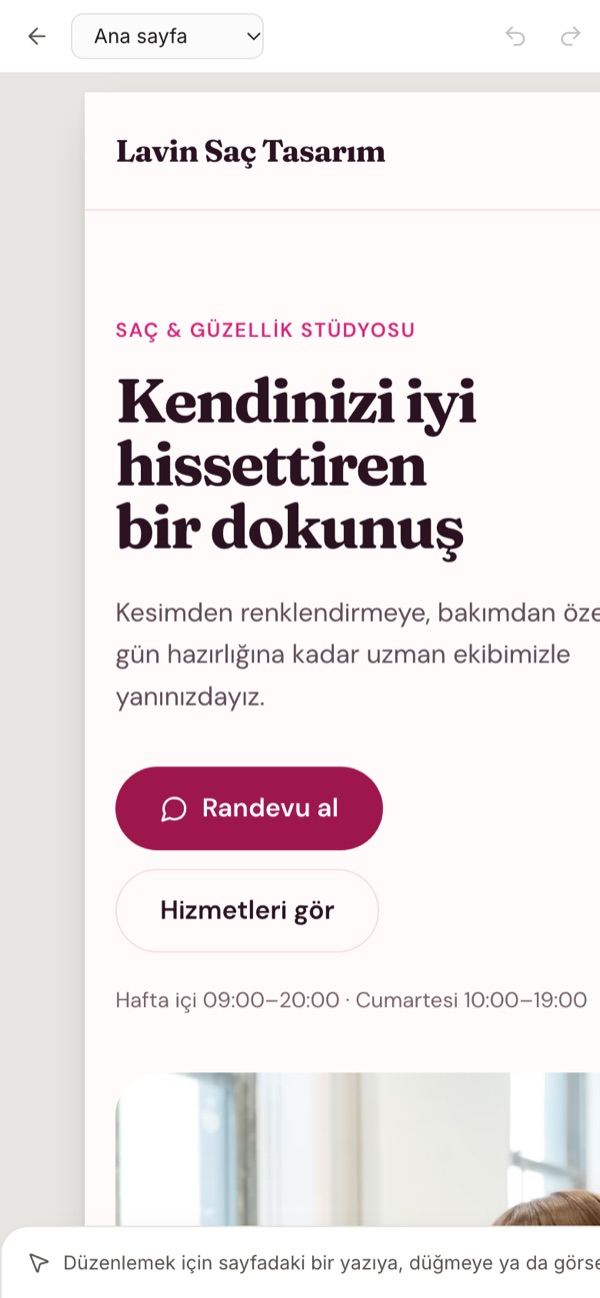
Every template comes with several pages: the menu and footer are shared across all pages, and each page has a ready-made main heading. Your business name, phone number, address and logo fill in automatically from the CRM. The examples below are the real output of the templates, generated by the compiler in the editor.
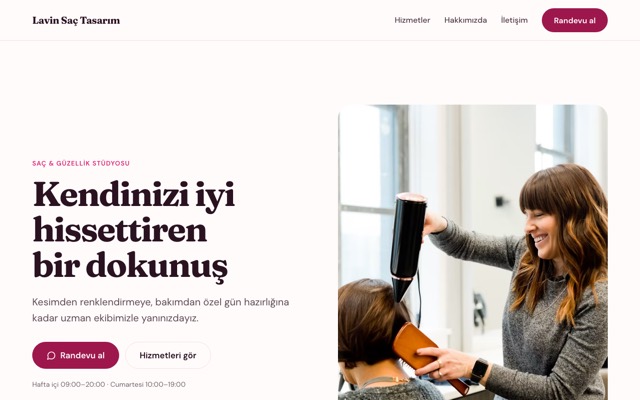
Hair & beauty salon
Home · Services · About · Contact
BEAUTY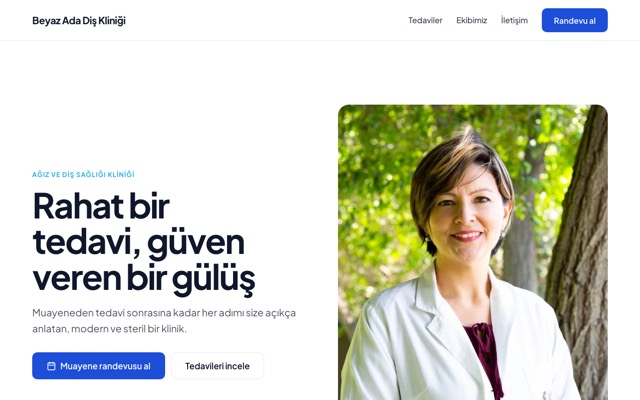
Dental / health clinic
Home · Treatments · Our team · Contact
HEALTH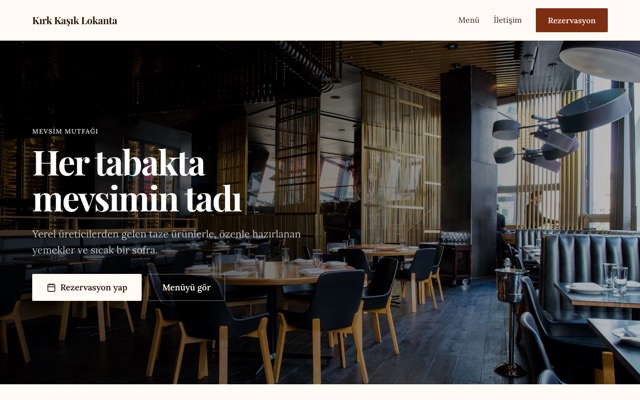
Restaurant & cafe
Home · Menu · Contact
FOOD & DRINK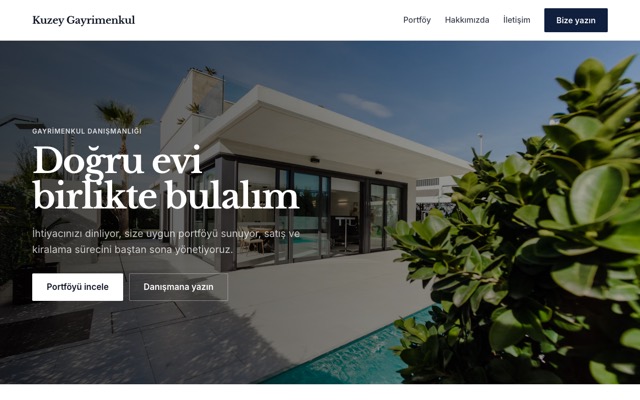
Real estate office
Home · Listings · About · Contact
EMLAK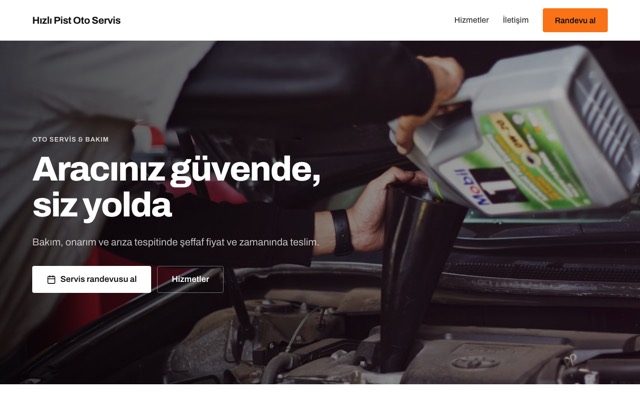
Auto service
Home · Services · Contact
OTOMOTIV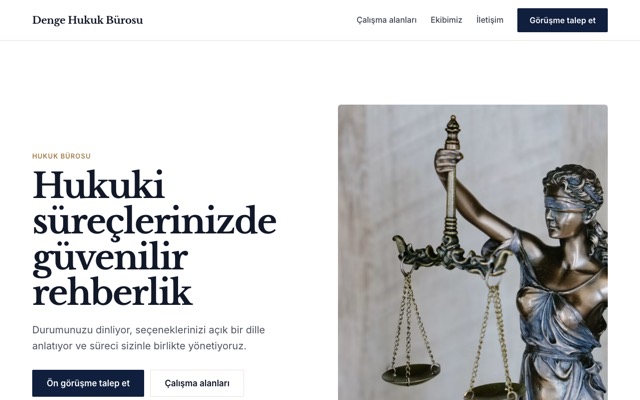
Law firm & consulting
Home · Practice areas · Our team · Contact
LAW & CONSULTING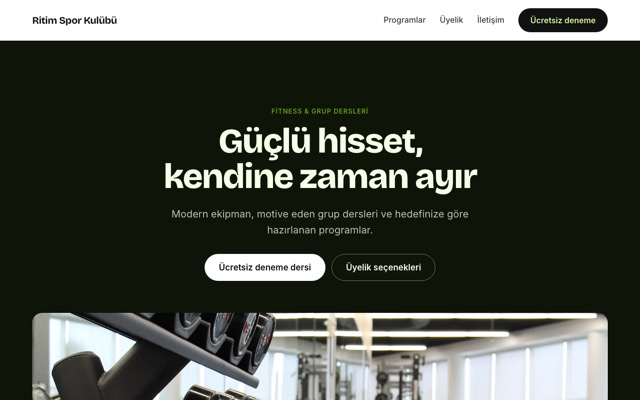
Gym
Home · Programs · Membership · Contact
SPOR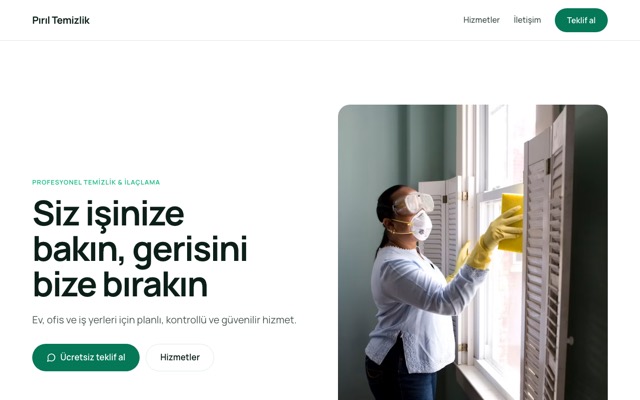
Cleaning / pest control / local service
Home · Services · Contact
LOCAL SERVICE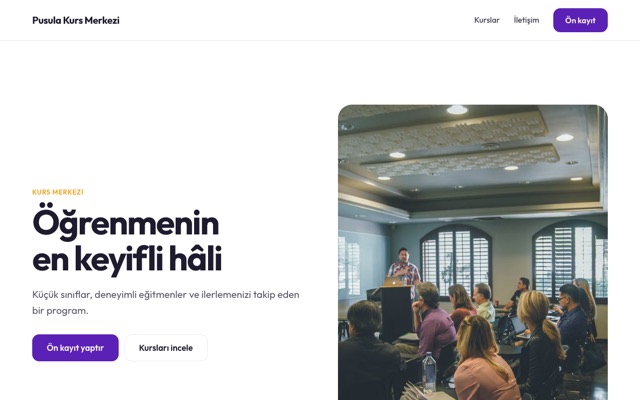
Courses & training center
Home · Courses · Contact
TRAINING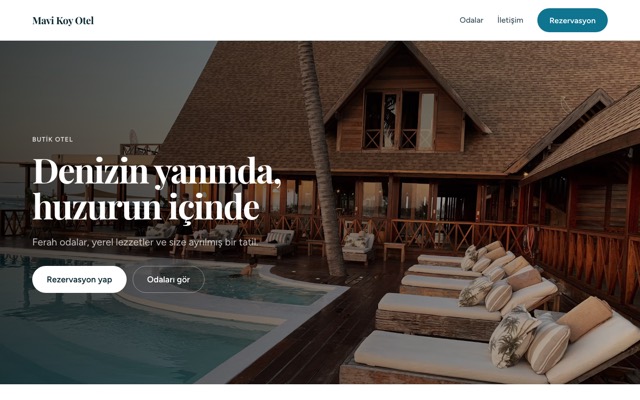
Hotel & tourism
Home · Rooms · Contact
TURIZM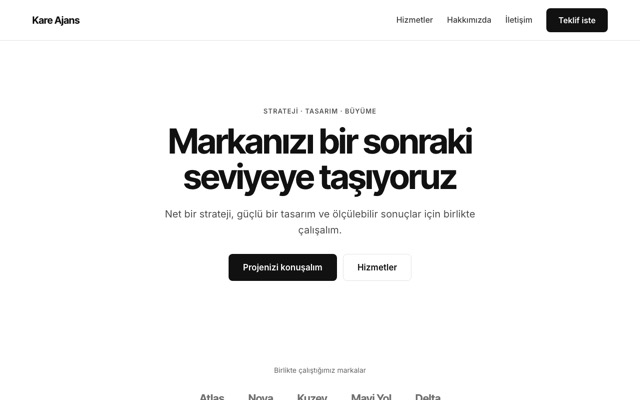
Agency & corporate
Home · Services · About · Contact
KURUMSAL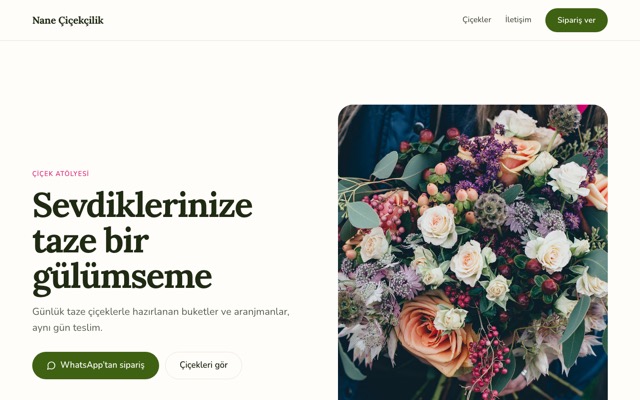
Florist
Home · Flowers · Contact
PERAKENDE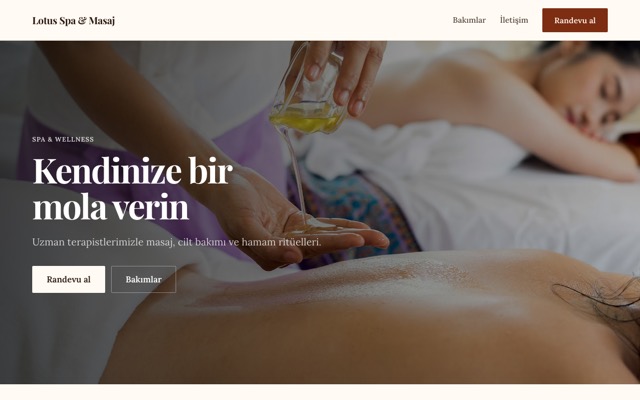
Spa & massage
Home · Treatments · Contact
BEAUTY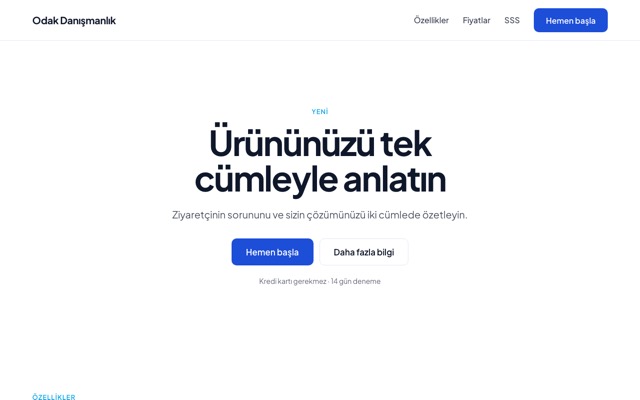
Single-page campaign
Home
SINGLE PAGENo code, no limits
Work with classes, breakpoints and layers just like in professional design tools. You don't need to know any of them to get started.
Styles are applied to a class, not an element: round the corners of the “card” class and every card on the site changes; the panel tells you in advance how many elements will be affected. Combine two classes to make one card different, or choose “this element only”. Give separate styles for hover, focus and pressed states.
Four breakpoints: desktop, tablet (991 px and below), landscape phone (767 px), phone (478 px). A value you set on desktop cascades down; a change you make on phone affects only phone. Hide an element at any breakpoint you like.
The page structure sits as a tree on the left: drag elements to move them, double-click to name them, right-click to wrap in a box, duplicate, or copy a style and paste it onto another element. Undo up to 300 steps.
Turn a section into a component and it's shared across all pages. Change a link in the menu and it changes on every page; if you need to, detach the link and make it specific to that page.
Six reveal effects (fade in, from below, from above, from left, from right, zoom in), with delay and speed settings; and “reveal children in sequence” on a container. On hover: lift, zoom, shadow or fade. Visitors who prefer reduced motion are respected.


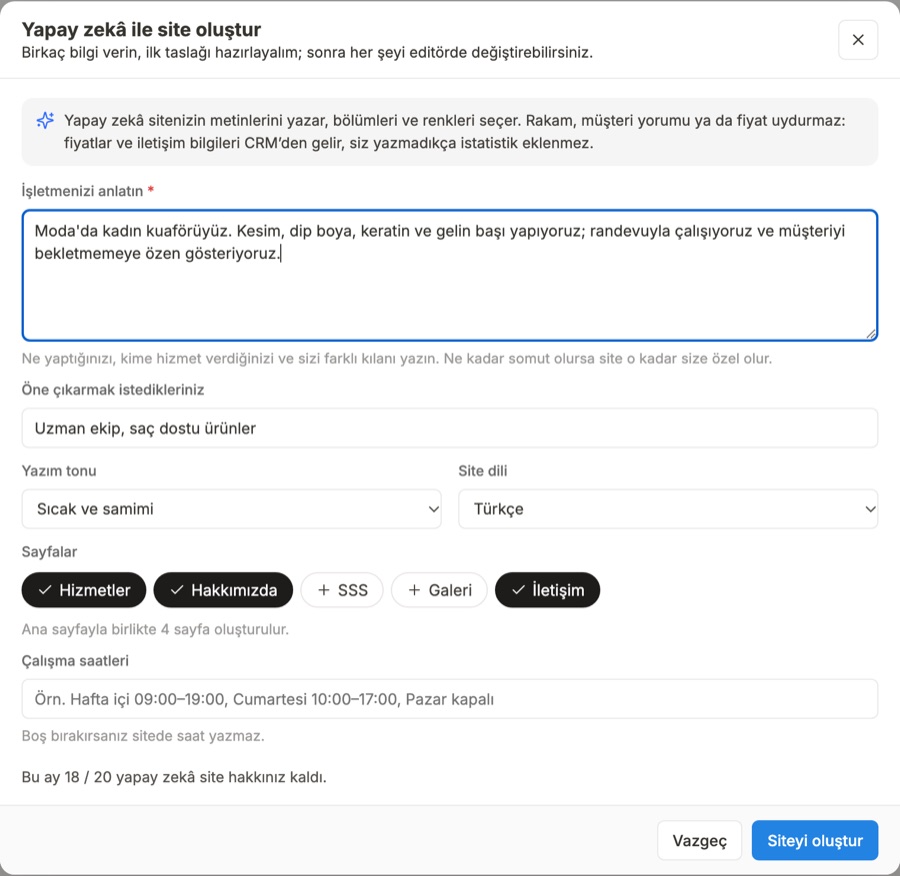
Describe it, and your first draft is ready
From the sentences you use to describe your business, AI suggests the section structure, text, theme and SEO titles. It takes your price and contact details from the CRM.
Describe your business in a few sentences, choose a tone (warm, professional, elegant, energetic, plain) and select the pages you need. AI prepares one of 12 themes, the section order, the text and the SEO title of every page; the site is built with the template engine. If you don't like the result, generate it again.
Right-click any text: rewrite, shorten, expand, more formal, friendlier, fix spelling or translate. Or write your own instruction.
Type into the command bar: “Make the headings punchier”, “Add a call-to-action section at the end”, “Fill in the missing image descriptions”. The changes made are listed, and you can undo them all in one step.
In page settings, choose “Suggest with AI”: a title of no more than 60 characters and a description of 120-155 characters. You see right there how it will look on Google.
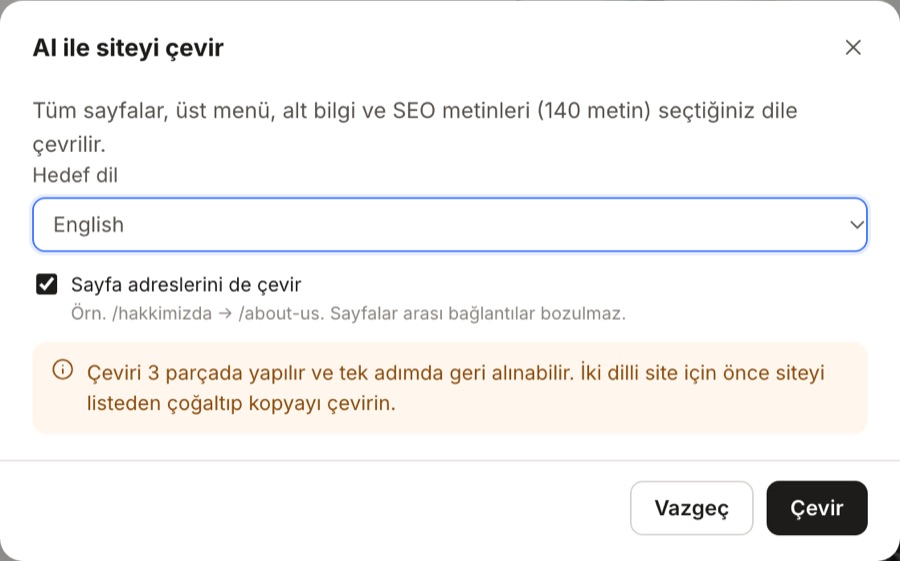
Translate every page, menu, footer, SEO text and image description into any of 9 languages — page URLs too, if you like. Translating switches the site to that language; for a bilingual site, duplicate the site and translate the copy.


Anyone who fills in the form becomes a lead in the CRM
On most sites a form lands in an email, then someone enters it into the CRM by hand. In Site Studio, the form on your site is the CRM's own lead form.
The visitor submits the form
Add the lead form to your site from the CRM blocks in the Add panel; the fields, KVKK (Turkey's personal data protection law) text and consent checkbox come with the form.
The lead lands in the CRM
The source is saved as “Form: form name”; if someone with the same phone number has contacted you before, the lead goes through a duplicate check.
Goes to the right person
Your distribution plan or the form's fixed owner assigns the lead; it lands in your team's notification ring.
The form is measured
Views, form starts and submissions are tracked daily; you can see which source the visitor came from.
Our services and products
Price lists, service cards and product cards come from your CRM catalog. When a price changes, click “Update from CRM” and download the site again.
Appointment button
Links to your online appointment page in the CRM; customers pick the service and time themselves.
WhatsApp button
A floating button with your number and a ready-made message, on the right or left. On a product card it opens a “Order via WhatsApp” message.
Business details
Name, phone, email, address and logo come in with “Fill from CRM”. If you have entered contact details, business information (JSON-LD) is written for Google.
Analytics and cookie consent
Enter your GA4, Google Tag Manager and Meta Pixel IDs. With the cookie banner on, measurement starts only after the visitor clicks “Accept”.
Search Console
Paste the verification tag. If you have entered your domain, sitemap.xml and canonical URLs are ready in the file you download.
Site score: what did you forget?
- 6 categories, 48 rules: SEO, accessibility, links, content, privacy and performance.
- Sample content: sample reviews, sample phone numbers and emails, lorem text and placeholder images left over from the template are flagged.
- Broken links: a link to a deleted page, a call button with no number entered, a form element with no form selected.
- Measured on screen: text contrast, small type and touch targets under 24 px on phones.
- Privacy: warns you if analytics is on without cookie consent, or if the privacy or KVKK link is missing.
- Once more on download: the download dialog summarizes the score and any open issues.


Enter it once, and each item gets its own page
Blog posts, projects, team, campaigns or your services in the CRM: add them to a collection, let the list section lay them out on the site, and let the template page generate a separate page for each item.
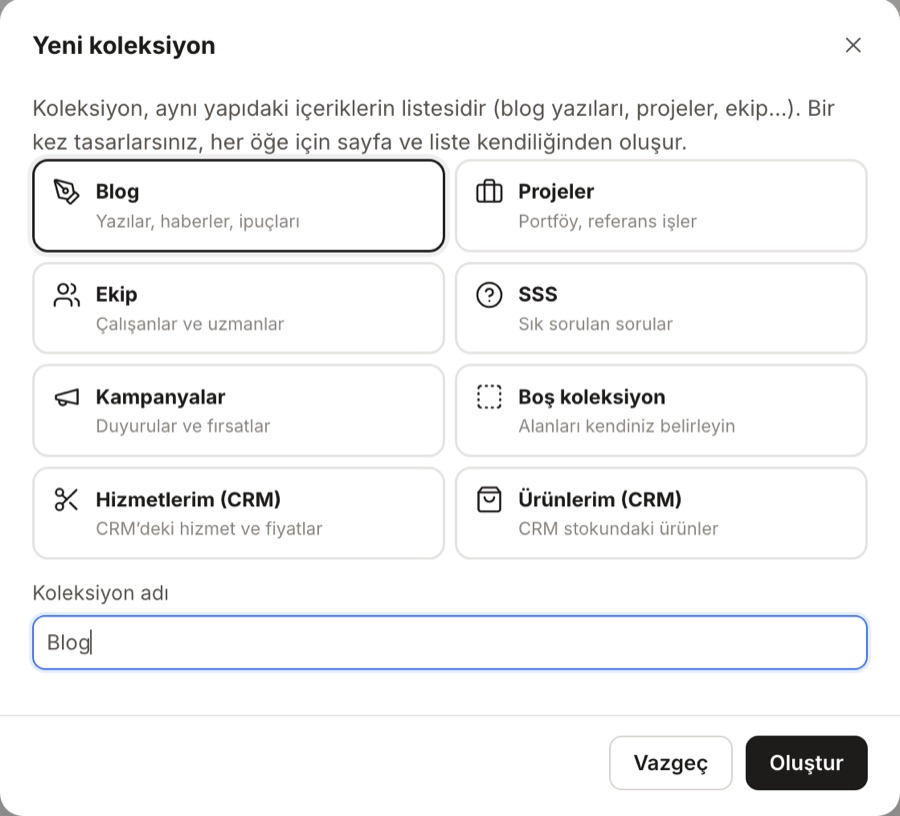
7 field types
Text, rich text, image, date, number, web address and price. Ready-made starters: blog, projects, team, FAQ, campaigns.
List section
You set the order (by name, newest…), how many items to show and the empty list text. Draft items are not published.
SEO for each item page
The {ad} placeholder in the title; the description comes from the item's text and the share image from the item's image.
You lock the design, your team updates the copy
- Grant the site content editor role from Team → Permissions: the person can change text, images, buttons and collection items; they cannot touch structure or style, and cannot download the site.
- The server enforces it too: a record whose structure, style, page or SEO setting has changed is rejected. The rule is not only on screen.
- Content mode on phones: on screens narrower than 1024 px, the editor automatically switches to content mode; fix your campaign copy while you are on the go.
- Autosave and version history: changes are saved within seconds, and earlier versions stay in the version list with who changed them and when. Save a version with a note, and go back to the one you want.
- Conflict warning: if two people are editing the same site, one person's save is never silently written over the other's; you are asked first.
Download the files and publish them wherever you want
Site Studio does not sell hosting. When you choose download, your site is packaged as standard HTML, CSS and JavaScript files in a ZIP; you can upload it to any hosting provider.
- Images and fonts included: images are added to the package; if you want, you can embed the Google fonts in the file.
- Files ready to publish: robots.txt, .htaccess (extensionless URLs, caching) and, if you entered your domain, sitemap.xml and canonical URLs.
- README: explains how to upload the files to your hosting in 6 steps.
- Code view: before downloading, look at the page's HTML and the site CSS, and copy them.
- Those that stay linked to the dashboard: lead forms and appointment links load from ÖzgürKod, while videos and analytics load from your own services. Your account must be active for the form to work.

Live in three steps
No agency briefing, no code. Your first draft is ready today.
1Get started
Pick a template for your industry or tell the AI wizard about your business. Your logo and contact details come from the CRM.
2Make it your own
Click the text and type, add sections, switch to your phone and check. Close the issues in the site score one by one.
3Download and publish
Download the ZIP and upload it to your hosting panel. The first inquiry from the form lands in your CRM.
Who has your website today?
Most businesses' websites live either on an agency's server or on a monthly-paid website builder. Both make websites; neither follows up on the customer who comes in through the form.
| Hiring an agency | Website builder platform | ÖzgürKod Site Studio | |
|---|---|---|---|
| A small text change | You write to the agency and wait in line | You do it yourself | You or a team member you've given permission to, even from a phone |
| An inquiry from the form | Lands in email, entered into the CRM by hand | Stays in the platform's panel or in email | Lands in the CRM as a lead, assigned by distribution rule |
| Service and price list | To the agency with every change | Updated separately by hand | Comes from the CRM catalog; update it, download again |
| Who owns the files | Usually on the agency's server | On the platform; moving often means rebuilding | HTML, CSS and JS files as a ZIP, in your hands |
| Hosting | The agency provides it or you buy it | The platform provides it, tied to your subscription | You choose the hosting; the ZIP uploads to any host |
| Check before publishing | Depends on the agency's diligence | With a plugin or by hand | Site score: SEO, accessibility, links, content, privacy, performance |
| Extra cost | Project fee, then maintenance | A separate monthly subscription | Included in your CRM plan; limits depend on the plan |
Your website is part of your CRM
Same account, same team, same customer list. You don't need a second password or a second customer table for your website.
From form to customer recordAnyone who fills out the form lands in your customer list; conversations, appointments and quotes are collected in the same record.
Same team, same permissionsYou decide who designs and who only edits text from the Team screen.
Available in every planSite and page counts, AI allowances and collections grow with your plan.
Editor in 9 languagesTurkish, English, German, French, Spanish, Italian, Portuguese, Arabic and Japanese.
Available in every plan
Site and page counts, AI allowances and collections grow with your plan. In the 7-day free trial, you work within the limits of the Growth plan.
| Starter | Team | Growth | Professional | Enterprise | |
|---|---|---|---|---|---|
| Site | 1 | 2 | 3 | 5 | 20 |
| Pages per site | 5 | 10 | 25 | 50 | 100 |
| AI site creation (month) | 3 | 10 | 20 | 50 | 200 |
| AI operations (day) | 40 | 80 | 150 | 300 | 1.000 |
| CMS collections (per site) | 2 | 5 | 10 | 20 | 30 |
| CMS items (per site) | 30 | 150 | 500 | 1.500 | 3.000 |
| Site-wide custom code (<head> / <body>) | — | — | Var | Var | Var |
| “Made with ÖzgürKod” badge | Var | Yok | Yok | Yok | Yok |
AI operations (text assistant, SEO suggestions, commands, translation) are deducted from your daily allowance; only successful operations count. AI features run with your AI key in Settings.
Details that make your work easier
Searchable add panel
Open it with ⌘K and type: heading, image, video, icon, grid, FAQ accordion, CRM form or appointment button.
219 icons
Searchable icon picker; the icon's size and color come from the theme or from you.
32 Google fonts
Sans, serif and handwriting families. Embed them in the file when you download it, so the site doesn't stay tied to Google.
Image library
JPEG, PNG, GIF and WebP, up to 10 MB. Anything larger than 2400 px is resized automatically; you're warned before you delete an image that's in use.
Video
YouTube is embedded from its cookie-free address and Vimeo without tracking; you can also add your own MP4 file.
Every kind of link
To a page, a section on the page, a phone number, an email address, WhatsApp with a ready-made message, or a file.
Measurements in one place
Theme colors, type scale, container width and spacing in a single panel; headings scale fluidly with the screen.
Eight style groups
Layout (flex, grid), spacing, size, position (sticky, fixed), typography, background (gradient, parallax), borders and effects (shadow, glass blur, filter).
Semantic HTML
Heading levels H1-H6, tags like section, header and nav, alt text and aria attributes; the accordion uses the browser's own component.
SEO per page
Title and description with character counters, Google preview, share image, noindex; favicon in site settings.
Draft element
Mark a section that isn't ready as a draft: it stays on the canvas but doesn't appear in the downloaded site.
Right-click menu
Copy, duplicate, wrap in a box, turn into a component, copy the style and paste it onto another element.
Keyboard shortcuts
⌘S to save, ⌘D to duplicate, ⌘⇧↑↓ to move, Enter to edit text; the ? key opens the full list.
Team-only preview
Preview at desktop, tablet and phone widths. Only your signed-in team sees the preview.
Starts at 2.500 ₺ / month
7-day free trial · No setup fee · Upgrade your plan any time
Your site brings in customers; keeping the customers it brings is the CRM's job.
If a single customer from a form on the site is a ₺3,000 job: the monthly cost of your subscription is not even a single job.
Frequently asked questions
Have another question? Write to us and we'll plan your site together.
What is Site Studio, and who is it for?
Site Studio is the no-code website builder inside ÖzgürKod CRM. You start from a ready-made template or from a few sentences describing your business, then add sections and write your text to build your site. There are ready-made templates for businesses such as hair salons, clinics, restaurants, auto service shops, real estate agencies, law firms, gyms, courses, hotels, agencies, florists and spas; you can also build a single-page campaign page. When your site is done, you download the files and publish them on your own domain.
Where do I publish the site? Do you provide hosting?
No. Site Studio does not sell hosting. When you click Download, your site is packaged as a ZIP of standard HTML, CSS and JavaScript files; you upload these files to your hosting provider's panel. The package contains the images, embedded fonts if you choose them, robots.txt, .htaccess and a README file that explains the upload in 6 steps. If you enter your domain in the site settings, sitemap.xml and canonical addresses are prepared as well.
Where do form submissions from the site go?
The form in Site Studio is the lead form you create in the CRM. When a visitor submits the form, the record arrives in the CRM as a lead; its source appears as “Form: form name”, it goes through duplicate checking if the same phone number has contacted you before, and KVKK (Turkey's personal data protection law) explicit consent is recorded. The lead is assigned according to your distribution plan or to the form's fixed owner and appears in your team's notification queue. Because the form code is loaded from the panel, the form only works while your ÖzgürKod account is active.
If my service price changes in the CRM, does the price on the site change too?
No, not automatically; the site you download consists of static files. The price list, service cards and product cards are copied from your CRM catalog. When a price changes, click “Update from CRM” in the editor, download the site again and upload the files to your hosting.
What do I need for the AI features?
The AI features work with the AI API key you define in Settings; without a key, the wizard and the assistant do not open. Depending on your plan, you have a monthly allowance of AI site creation and a daily AI action allowance; only successful actions are counted. The AI removes any sentence that contains a figure you did not provide: prices come from your services in the CRM, and contact details come from the CRM.
Are the reviews and prices in the templates real?
No. The templates and ready-made sections come with sample text, sample reviews, sample figures and sample prices; the purpose is to show how the site will look. The site score flags sample reviews, sample phone numbers and emails, lorem text and sample text left over from the template separately. You need to replace these with your own information before publishing; do not leave an unreal review on a live site.
Can I edit the site from my phone?
Yes, at the content level. On screens narrower than 1024 pixels, the editor switches to content mode automatically: you can change texts, buttons, images and collection items. Structural work such as adding sections, applying styles and building pages requires a computer.
Can one of my team members change only the texts?
Yes. Give the person the “Site content editor” permission in the Permissions section of the Team screen. This person can change texts, images, buttons and collection items; they cannot create, delete or download a site, and cannot touch the structure or style. The rule is enforced not only in the screen but also on the server: a record whose structure or style has changed is rejected.
How many sites and pages can I build?
Site Studio is available on every plan. The Starter plan allows 1 site and 5 pages per site, and the Enterprise plan allows 20 sites and 100 pages per site; the plans in between are in the table on the page. During the 7-day free trial, you work with the limits of the Growth plan. The “Designed with ÖzgürKod” badge is added only on the Starter plan.
Can my site be in more than one language?
Each site is published in a single language; there are 9 options for the site language (Turkish, English, German, French, Spanish, Italian, Portuguese, Arabic, Russian). “Translate the site with AI” translates all pages, the menu, the footer and the SEO texts into the language you choose and switches the site to that language. To publish in two languages, duplicate the site and translate the copy; each copy counts as one site. A language switcher between sites is not added automatically.
What is ready for being found on Google?
Every page gets an SEO title and description (with a character counter and a Google preview), a share image and, if needed, noindex; the favicon is in the site settings. When you enter your domain, the canonical URL and sitemap.xml are generated, and robots.txt comes with every package. You can paste in your Search Console verification tag. If you entered a phone, e-mail or address, business info (LocalBusiness JSON-LD) is written to the homepage. These are a good start; they are not a ranking guarantee.
How do Google Analytics and cookie consent work?
You enter your GA4, Google Tag Manager or Meta Pixel ID in the site settings; the IDs are format-checked and load only on the downloaded site. When you enter the first ID, the cookie consent banner opens automatically; you can edit its text, the Accept and Reject buttons, and the policy link. While the banner is open, measurement starts only after the visitor clicks “Accept”. If analytics is on but cookie consent is off, the site score shows this as an error.
Can I sell online from my site?
Site Studio does not include a cart or online payments. Product cards come from your products in the CRM, and open a “Order via WhatsApp” message for the visitor; you manage the order and payment collection in the CRM. There is also no membership, login or password-protected page.
Let your site bring in customers and your CRM not lose them
Pick a template, write your texts, download. 7-day free trial, no setup fee.